
Interior design mentor with kayla weiner
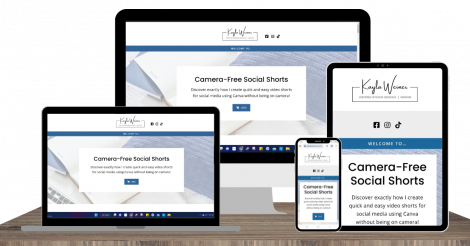
Camera-Free Social Shorts
Discover exactly how I create quick and easy video shorts for social media using Canva without being on camera!
Imagine creating a series of video shorts from your computer, phone, or tablet without using your face or having to be on camera.
Or realizing that you don’t have to spend a lengthy amount of time recording, editing, and formatting every video short you create.
Or that it can actually be quick and easy to create video shorts for your business to build your following and connect with new clients.
It’s absolutely possible for you. How do I know?
Because these are all results I’ve achieved using Canva to create video shorts for Tiktok and IG Reels.
I never expected I'd be utilizing video shorts in my business.
I love scrolling TikTok every day. I use it as a method of escape when I need a break, a way to wind down from a busy day, a way to interact with family and friends as we exchange videos with each other, a place to learn new things, and so much more.
I was intimidated by the thought of doing video short content for my own businesses because the creators I enjoy watching almost always look put together, have picture-perfect homes or offices, enjoy dancing or doing the trending choreography, and are energetic, bubbly, and captivating (or they give the illusion of those things).
I know myself and I know that I’m rarely ever camera-ready, my house and office are rarely ever camera-ready, and I don’t dance or sing. So I kept putting it off and worked hard to ignore the voice in the back of my head for months.

With Camera-Free Social Shorts, you'll be able to...
- Eliminate the need to be camera-ready all the time, do the trending dances or choreography, or even use your face or voice on camera
- Simplify the steps to format your content to fit each individual social media platform's requirements and upload original content.
- Create a variety of effective social short videos while maintaining the consistency of your brand image and without taking over your day-to-day schedule.
- Grow your social media presence by providing content proven to be of interest to audiences without constantly fighting the everchanging post algorithms.
- Have fun with marketing again by establishing unique content that showcases your talents, expertise, and personality.
Introducing
Camera-Free Social Shorts
Camera-Free Social Shorts is an in-depth course covering everything you need to know to create your own video shorts using Canva!
You’ll learn just how simple it is to create your own social media video shorts without ever having to show your face or record yourself.
Most importantly, you’ll learn how to stop fearing this new social media format and finally embrace adding video shorts into your marketing strategy.
Here's what you'll find inside the course:

How to Get Started
- Key Components to Consider in Canva
- How to Generate Topic Ideas
- How to Repurpose & Resize Existing Content
- Access to Additional Resources and Tools
How to Create in Canva
- Understanding Sizing Basics
- Using Your Own Content
- Using Pro vs Free Elements in Canva
- Using Still Images vs Videos
- Using Enhancements Within Canva
- Creating Cover & Ending Photos


How to Implement Content
- Considerations when downloading designs
- Considerations when uploading designs
- Tips, Suggestions, & Lessons Learned
Bonuses
- Beginning survey to submit questions
- Frequently Asked Questions


“Working with Kayla has been one of the biggest game changers for my business. I cannot recommend Kayla enough.”
Dani Alexander | Dani Alexander Interiors

“She has an incredible gift of connecting with people, understanding them, and helping them pursue their dreams. She never quits, she’s determined to help others with much passion.”
Marian Johnson | Well Designs

Hi, I'm Kayla.
Once I started planning content for TikTok and IG Reels, I found myself struggling to actually record it. And after months of recording less and less content, I finally admitted that I just wasn’t going to consistently be camera-ready to record videos. And, rather than continue to be hard on myself, I knew I needed to find another way to still produce short video content.
Since I regularly use Canva for IG posts and other graphic needs, I was determined to find a way to use Canva for video shorts, too. After conversations with other designers and entrepreneurs, I discovered my own experience wasn’t exclusive to me, and I knew I needed to share this method that has helped me with others. As a visual learner, I know that sometimes you just need someone to lead the way and show you how…and that’s how the Camera-Free Social Shorts course was born!
Camera-Free Social Shorts includes...
- Bite-sized recorded video tutorials and demonstrations that show you exactly how to create your own quick and easy video shorts.
- Captions and speed control for all videos.
- Lifetime access to the content included in the course.
Camera-Free Social Shorts is perfect for you if…
You’re already a Canva user and want to learn how to use elements and tools within it to create video shorts.
You’re intrigued by using social video shorts for your business, but you’re not ready to show your face or record videos with your face.
You’ve never created social video shorts because you’re worried you have to dance, perform, or be camera-ready.
You are intimidated by how time-consuming it is to record, edit, and format video shorts for each social media platform.
You have ideas and gathered inspiration for video shorts, but haven’t figured out a quick and easy way to create them.
Camera-Free Social Shorts may not be for you if…
You do not want to use platforms that utilize video shorts (platforms include TikTok, IG Reels, etc).
You’re satisfied with your current social media marketing strategy and will not make any changes to it.
You do not like using Canva to make graphics. Or, you are not open to using Canva.
You are experiencing any financial difficulties or other hardships at this time.
Frequently Asked Questions
Not at all! This course will work for any industry and niche. In fact, my courses have been taken by a variety of other business professionals in various industries. While the examples that I share may be geared toward interior design professionals because of my background and experiences, I do try to insert examples from other professions or industries whenever possible.
At this time, this training focuses on the following top platforms: Tiktok, IG Reels, Pinterest, and Youtube.
I like to think of Camera-Free Social Shorts and Simplified Social Shorts as sister courses. While there are similarities, especially given that they both focus on video short content for social media, there’s quite a bit that’s different, too. Camera-Free Social Shorts focuses on creating content completely off-camera using Canva. In Simplified Social Shorts, I discuss the off-camera component, but I do not discuss using Canva to create this content. Instead, the focus is on utilizing the apps (or your devices) and then editing in the apps to generate off-camera content.
There are other areas of overlap, too. For example, mentioning and showcasing the different apps, how they work, their various features, their sizing and timing parameters, etc. But, in Simplified Social Shorts I spend more time on these areas and provide more detailed tutorials with each of these programs and their features, tools, etc.
Please also take time to review the course overview that I’ve provided above. You can compare it to the details that I’ve provided for Simplified Social Shorts.
And, if you still have questions, feel free to email me directly at education@kaylaweiner.com so we can discuss them.
I do recommend both. Especially if you’re interested in learning more about creating camera-free content in Canva.
If you haven’t already, please take a look at the course content section. It showcases a bit more about what you’ll find in this course, which may also help you decide if this course is for you.
And, existing students of Simplified Social Shorts get an exclusive discount to purchase Camera-Free Social Shorts. Make sure to log into the course for your direct link to the exclusive price. You can also send me an email with your student log-in for the course at education@kaylaweiner.com and I’ll make sure you get the direct link to purchase 🙂
While you should be able to use the free version of Canva without any problem, there are some things mentioned and used in the course that will be exclusive to Canva Pro accounts. I will try to make suggestions or alternatives when possible, but they may take additional steps.
Yes, existing students of Simplified Social Shorts get an exclusive discount to purchase Camera-Free Social Shorts. Make sure to log into the course for your direct link to the exclusive price. You can also send me an email with your student log-in for the course at education@kaylaweiner.com and I’ll make sure you get the direct link to purchase 🙂
For course and trainings, I offer a 14-day Money Back Guarantee. You can read more about it in the Terms of Purchase Policy for Camera-Free Social shorts here.
Please note: this guarantee does not include purchases that were made through bundles or other methods that were not directly made through Interior Design Mentor or Kayla Weiner.
Have a question that isn’t answered here? Send me an email at education@kaylaweiner.com.
Are you ready to embrace using social shorts as part of your social media marketing strategy?